Technical partner · Medical AI hackathon, Lyon · 2026
One GPU for a 150‑person medical AI hackathon
Selected by GE HealthCare to organize the technical side of a medical AI hackathon, I had one week to design, build and put its platform in production. It then ran 36 hours with 150 live users: zero downtime on the GPU server, all 25 teams delivered their demo, and participants rated it 4.7 / 5 overall.
- Role
- Technical partner
- Built for
- 150 participants in 25 teams
- Duration
- January to February 2026
- Stack
- OVHcloud · NVIDIA H100 (MIG) · Docker
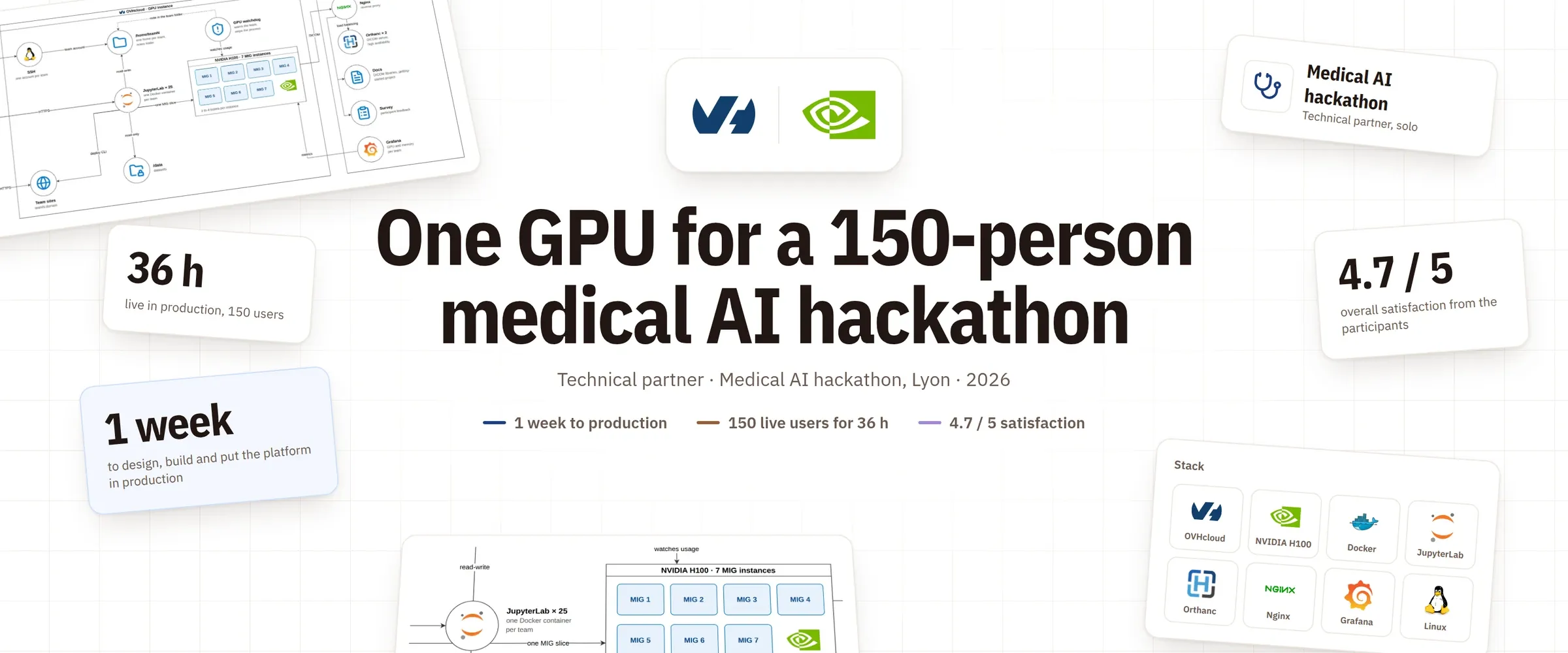
1 week
to design, build and put the platform in production
36 h
live in production for 150 users, zero downtime on the GPU server
4.7 / 5
overall satisfaction, rated by the participants
01 · The need
A medical AI hackathon from 28 February to 1 March: 36 hours of hacking over 48, for 150 participants in 25 teams of 3 to 7, each on their own laptop. Every team needed its own AI workspace, access to a medical imaging dataset, and a way to show a live demo to the jury at the end.
02 · Constraints and decision
- Constraints
- Time · one week to understand the need, then one week to design, build and ship.
- Infrastructure · no datacenter available, so the cloud.
- Budget · as little as possible, on OVHcloud.
- Isolation · every team on its own compute and workspace.
- Data · GDPR rules, the dataset could neither be copied out nor deleted.
- Users · mostly engineering students new to DICOM, the medical imaging format.
- AI usage · limited for student participants.
- Options
- A GPU server per team · simple isolation, a cost far beyond the budget.
- One shared GPU cluster · one bill, with isolation to build per team.
- Decision
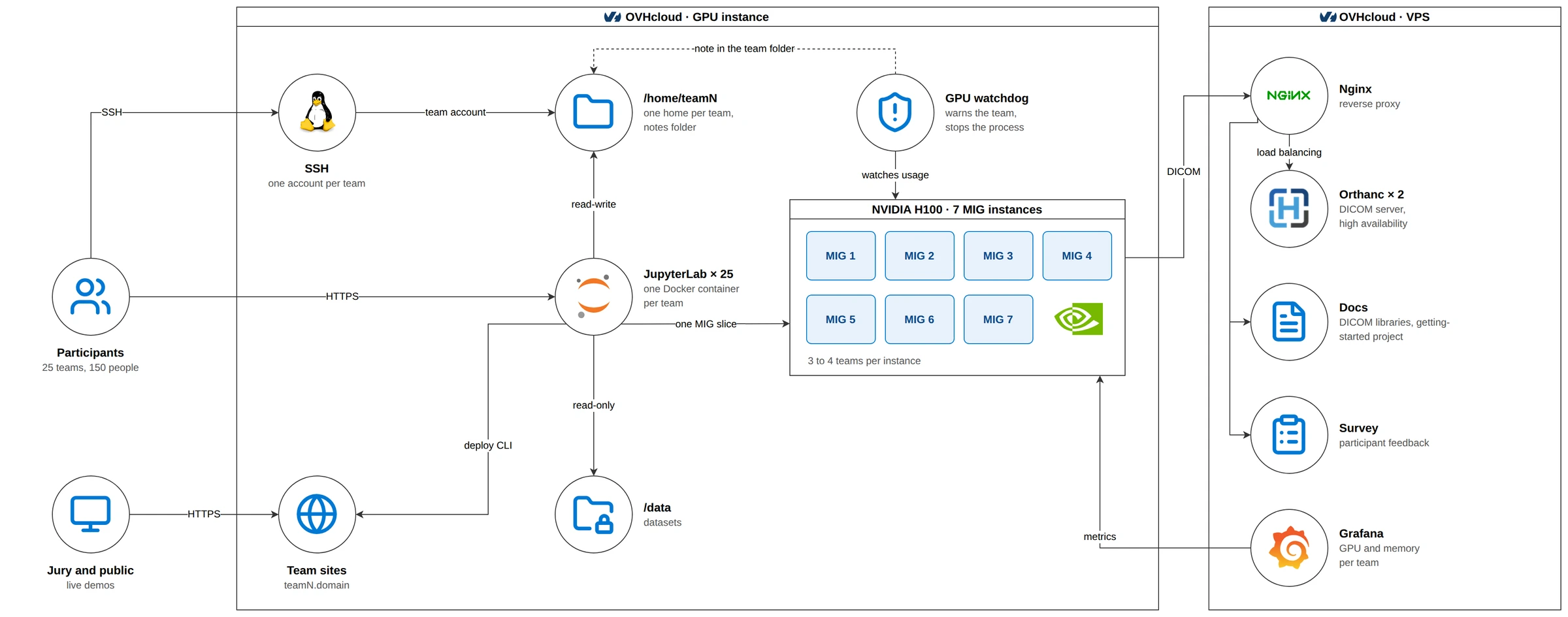
- Compute · one NVIDIA H100, split with MIG into 7 GPU instances, 3 to 4 teams on each.
- Workspaces · a JupyterLab per team in Docker with the DICOM libraries, and an SSH account per team whose home is mounted in its container.
- Demos · each team on its own address, teamN.domain, published with one deploy command from a small CLI.
- Data · the datasets in /data, mounted read-only in every container; the DICOM archive served by two Orthanc containers behind an Nginx reverse proxy on a separate VPS, which also served the docs and the survey.
- Onboarding · documentation for the DICOM libraries and a short getting-started project.
- Operations · Grafana for GPU and memory per team, a watchdog that warned a team going over its GPU share with a note in its notebook folder, then stopped the process, and a test account to reproduce every bug a team reported.
03 · Architecture
The platform
 OVHcloud
 NVIDIA H100 (MIG)
 Docker
 JupyterLab
 Orthanc
 Grafana
04 · Result
- Demos · all 25 teams delivered theirs live.
- GPU server · zero downtime over the 36 hours, about 30 GPU hours used and a 5 GB DICOM dataset served.
- Orthanc · down for 30 minutes under too many connections at once; I moved it to high availability.
- Survey · 4.7/5 overall; technical support 4.8, network 4.5, GPU 4.3, JupyterLab 2.5.
05 · What I learned
- Ask the users before choosing their tool. Thirteen quick support requests came from teams who wanted AI in their editor: they would have preferred VS Code to a notebook in a browser.
- Size the shared services for the peak, not the average: the GPU held, the data server was the bottleneck.
Next case study
ESEO · 2024 – 2025Production-grade on a student budget